Testing
Where this lives / How to run
- Repo: Eliinova/the-one-otc-api
- Test directory:
tests/(Feature:tests/Feature/, Unit:tests/Unit/) - Config:
phpunit.xml - Run all tests:
php artisan test - Run a single test:
php artisan test --filter=LoginControllerTest - CI: tests run automatically on push (see
.github/workflows/in the repo)
This section covers the testing setup and practices for the EasyOTC API project.
Test Suite
The project uses PHPUnit for testing with Laravel's testing framework. All tests are located in the tests/ directory.
Running Tests
To run the test suite, use the following command:
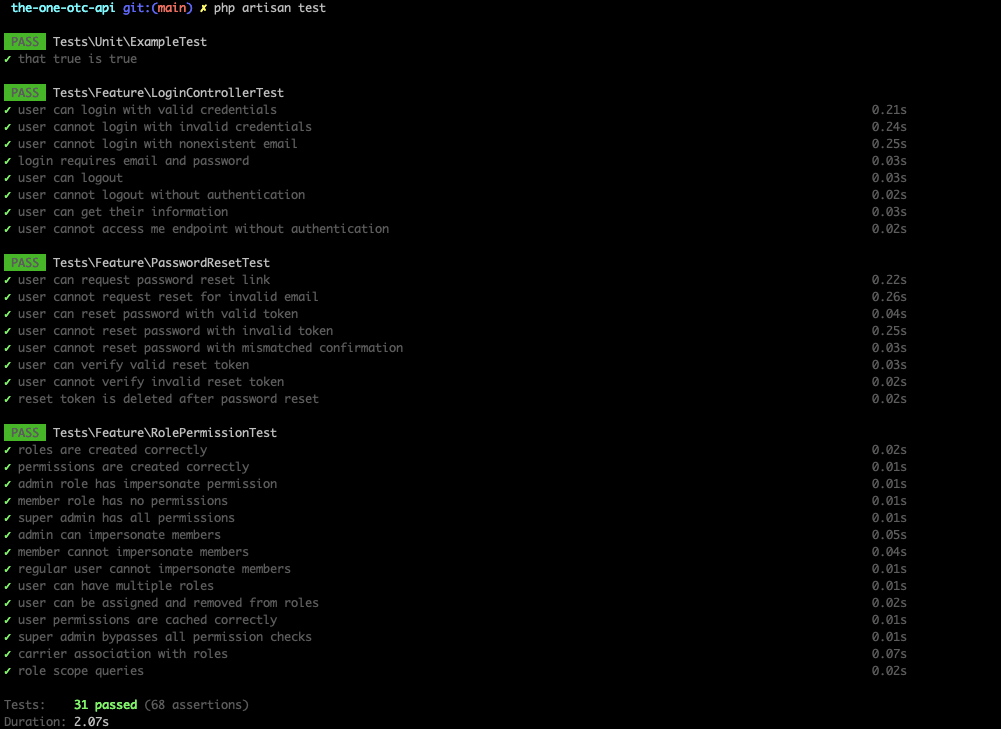
php artisan testTest Results
Here's a screenshot of the current test results:
Test Structure
The test suite includes:
Feature Tests: Located in
tests/Feature/LoginControllerTest.php- Tests for login functionalityPasswordResetTest.php- Tests for password reset flowRolePermissionTest.php- Tests for role and permission system
Unit Tests: Located in
tests/Unit/ExampleTest.php- Basic unit test examples
Test Configuration
The test configuration is defined in phpunit.xml and includes:
- Database configuration for testing
- Test environment setup
- Coverage reporting settings
Writing Tests
When adding new features, ensure you write corresponding tests:
- Feature Tests: For testing complete user workflows and API endpoints
- Unit Tests: For testing individual methods and classes
- Integration Tests: For testing component interactions
Test Database
Tests use a separate test database to avoid affecting development data. The database is automatically migrated and seeded for each test run.
Continuous Integration
Tests are automatically run in CI/CD pipelines to ensure code quality and prevent regressions.